Image from Friends (NBC/Universal)
Every year come December, the vibe shifts from work mode to witch mode in the solemn halls of my business. Whereas through the year, Projector business owners turn to me to help get their big idea off the ground or help re-design an existing business to suit them, right before year’s end, we light the proverbial and actual candles, and we… get witchy up in here. What does that look like and how do I set it all up using my email service provider of choice, Flodesk? Read on to find out.
First let me disclose that I am a proud Flodesk partner. As an early adopter of their email solution (I signed up in 2019 when they were but a wee start-up, and look at them now!!), I can genuinely say that Flodesk has changed how I do business. And how much (or little 😏 ) of it I get to do during certain seasons.
Back to the end-of-year witchery. You see, child, back in the olden days (namely 2019) I introduced to my audience an ancient Celtic and Germanic ritual that my family and I had been practising for years. The 12 Nights of Magic – in German: Raunächte – span the last few nights of a year and the first few of the new year.
For seven years now, I have been sharing the ritual with hundreds of participants through daily emails that feature practices, audios and videos. Now, as you can imagine, end of December isn’t really the time I want to be spending hours in front of a screen, penning emails and sending out content. During the holidays, I quite frankly have other things to do.

The “other things” (credit: Sony Studios)
📧 How do I automate the experience in advance so I can still have the holidays off?
Five words: Set it and forget it. Using the workflow feature in Flodesk, I am able to design the entire experience and its delivery ahead of time, and once the magic portal begins, all it will take is one click the set the workflow in motion. From then on, it’s back to the kitchen (or the couch) for me.
A workflow is an automation of a string of emails that can be customised to your needs as the sender. This feature has served me well for years, and is becoming ever more sophisticated while still being incredibly easy to set up. This year, I’m taking you along as I pre-create the magic behind the scenes, and let you in on the recipe of a sturdy, intelligent workflow:
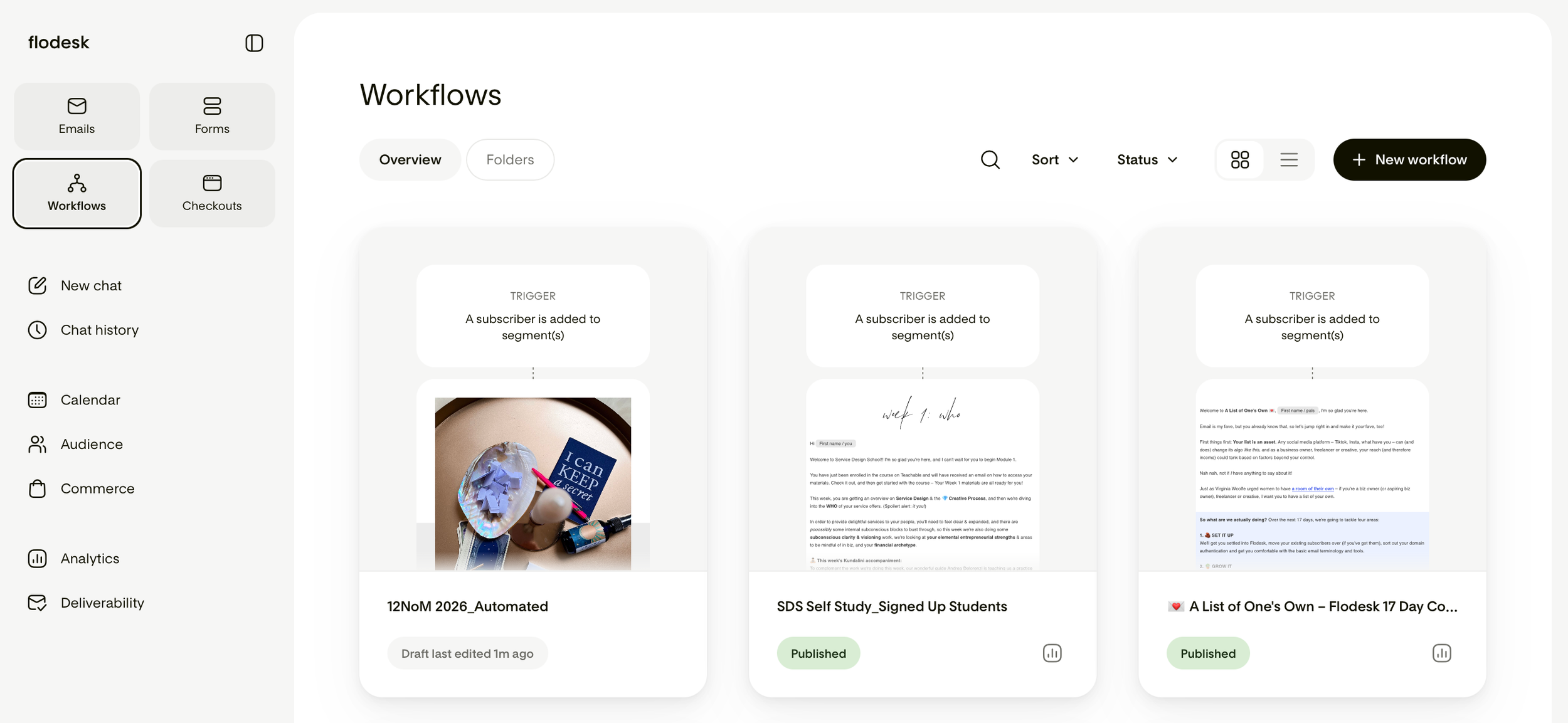
Creating a workflow in Flodesk (screenshot by author)
After creating many a workflow, I quite possibly could do this in my sleep (and frankly, some have been made in a sleep-like state). It helps that Flodesk’s user interface – one of the selling points that is most important to me – is incredibly easy to navigate. We click on Workflows in the upper lefthand quadrant aaaaand we’re off.
❓ What’s the first step when creating a workflow?
First, we decide on the event – the so-called trigger – that sets the entire workflow in motion. Think of the trigger as your first domino piece. They can range from subscribers signing up through a specific form to making a purchase (useful for post-purchase emails!) or even someone abandoning their cart mid-checkout.
In my case, my most-often selected trigger is when someone is added to a specific segment (a fancier term for a slice of a whole, or part of a group, the whole or group being the entirety of your subscriber list).
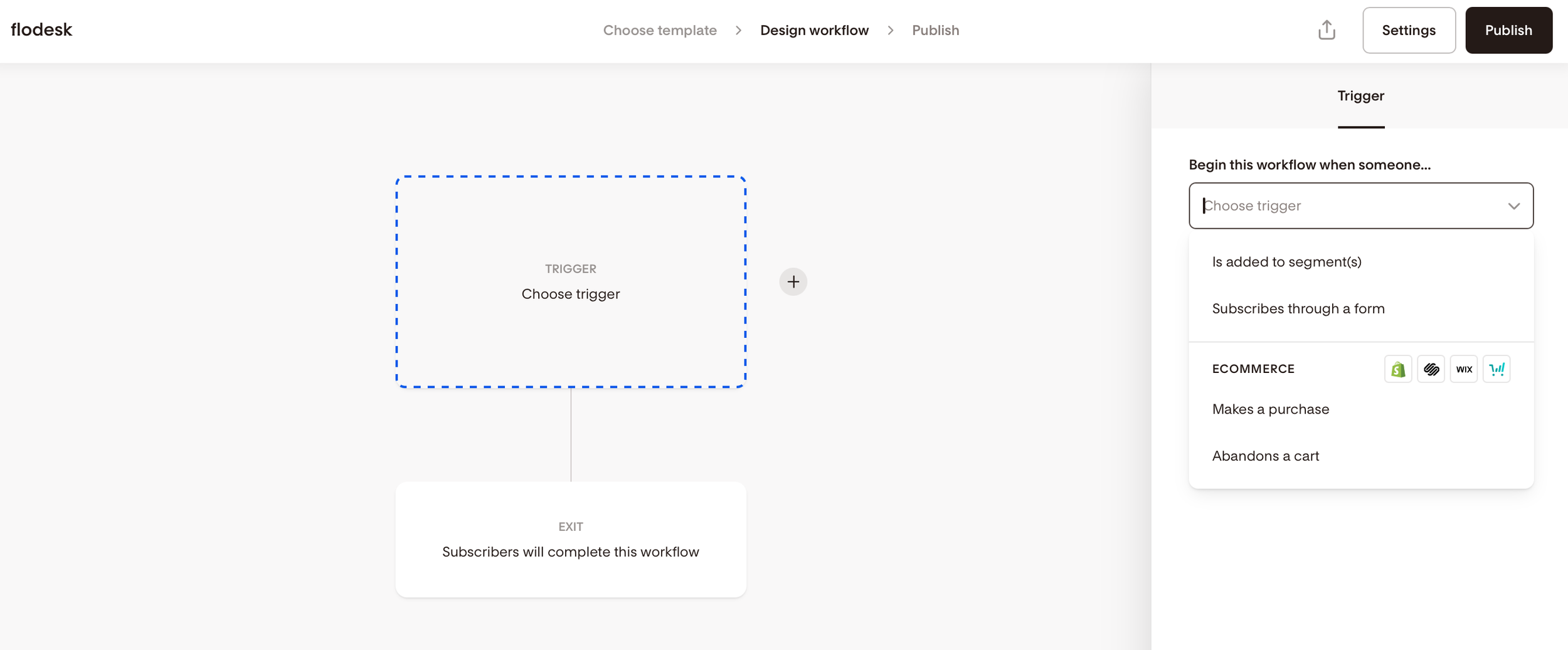
Trigger selection
Thus, when choosing this trigger, I must continue by adding the segment of people that will receive the emails in said workflow. For that, we create a segment in the Flodesk Audience tab. I called mine 12NoM 2026 (this way I can easily keep the segments apart as this is an offer I run once a year) and added “Signed Up”.
Bonus tip: One of the most useful recommendations I can share is to keep your segments tidy from the beginning when you may have but a few, because over the years you will add many more segments and you never want to sit stumped in front of your laptop going “RB Class!?!??! What even is that?” So always name everything neatly, based on a singular structure that makes sense for your business. For example, I added “Signed up” because I sometimes have wait lists or people who have expressed interest in certain offers, and want to be mindful to be able to tell these groups apart.
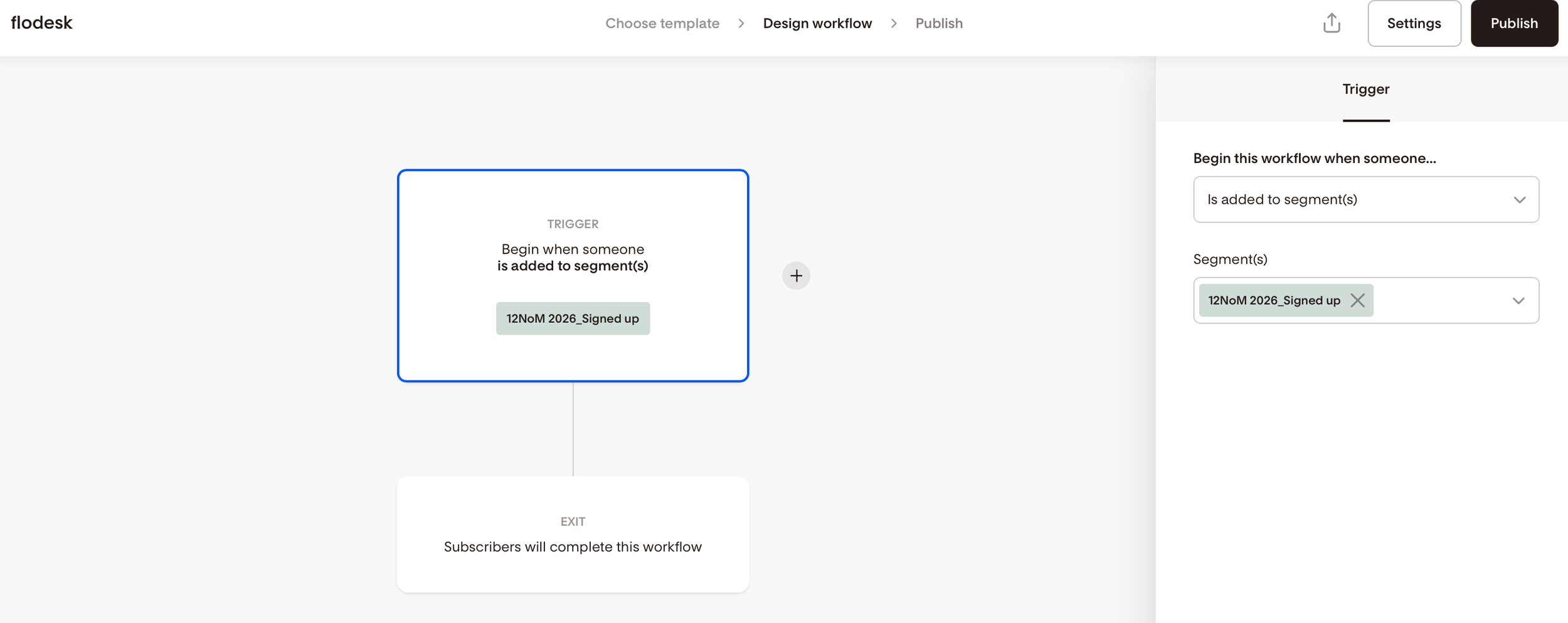
Create & add the segment
🧲 Once triggered, what happens first in the workflow?
Once we’ve got the trigger established, we begin populating the workflow by adding the relevant emails at the relevant time under the relevant conditions. The question to ask yourself is: Once the workflow is triggered, what happens first? Do subscribers receive an email right away, and if so, what is inside?
This is the meatiest part of the creation of an automation and requires senders to put themselves in their audiences’ shoes. How many emails does the workflow entail? How much of a break do I leave in between so as not to overwhelm, but also to stay consistent in the delivery of my teachings/offer/information?
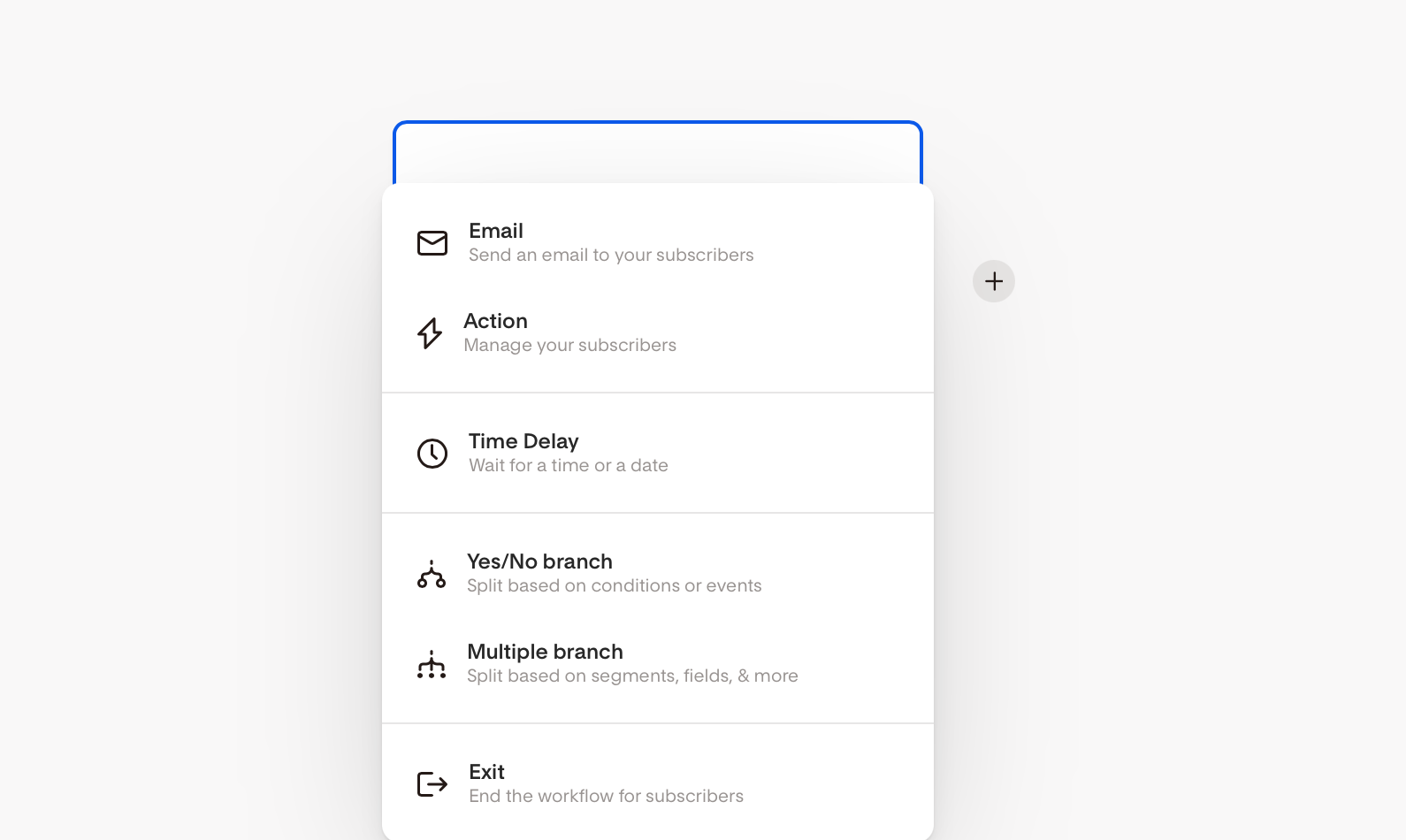
Choose the first action that happens once the workflow is triggered
For my 12 Nights of Magic offer, the parameters are, thankfully, rather straighforward. We’re talking twelve emails over twelve days (with a little jazzed up bit in between, but we’ll get to that in a second!) Personally, I like to pre-create one email as a template in Flodesk that I never send anywhere, and then select “Duplicate email” inside the workflow and work from that template for all my emails in said workflow.
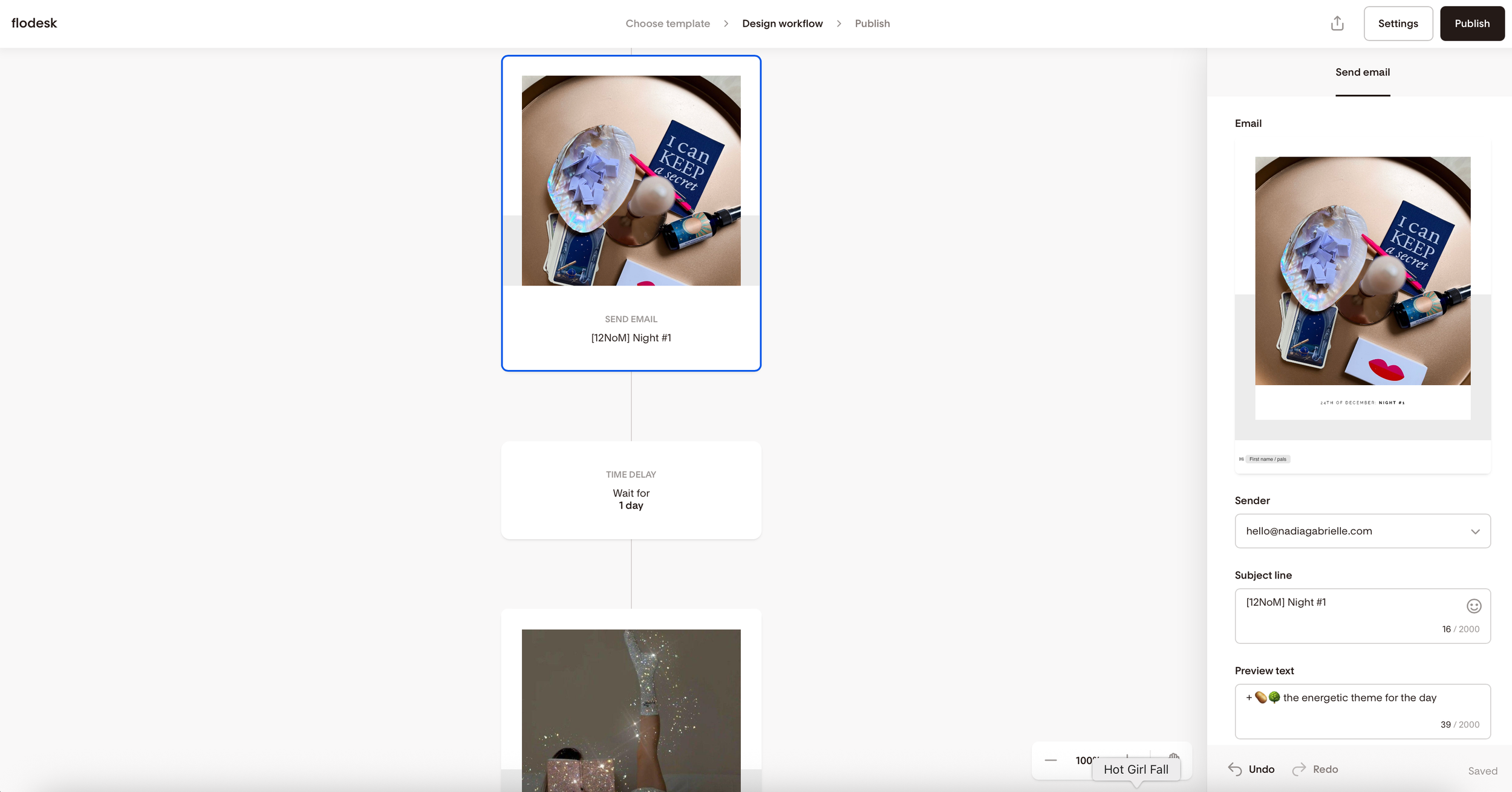
Choose the time delay between emails
Because my offer spans twelve emails over twelve days, in between emails, I select a time delay of one day. Delays can be as short as a few minutes or as long as weeks or months, depending on what makes sense for your workflow.
💵 How do I make money using an email automation?
Workflows – in addition to saving you time – also have the potential to bring you extra sales, if you design for it. By embedding an offer in the automation and pre-planning the follow up, you have the opportunity to earn extra revenue without the extra effort.

And for the lady, perhaps a SALE?
One thing I’m doing differently this year – and which is possible only because Flodesk offers the feature! – is to add a little extra workflow-within-the-workflow for extra sales. As 12 Nights of Magic is rooted firmly in witchy, magical territory, and part of the ritual involves cartomancy and general oracle-ing, I will bring back my well-loved “Practical Divination for Modern Life, Love & Business” class that has been hidden in the vault for some time.
Thus on Day #8, when the energetics of the portal turn more forward-focused and we look into the future through means of divination, I add a link to the email for those curious to learn more. Because 12NoM is in itself a closed container that everyone inside has said yes to, and it is always my highest intention to be respectful of people’s time and energy, I don’t want to spam people’s inboxes with more information on the extra class.
Instead, I cleverly add a yes/no branch within the workflow – think of it as a fork in the road where the path separates – that will elegantly allow me to send an extra email (with a little discount code) to those who have shown interest in the divination teachings.
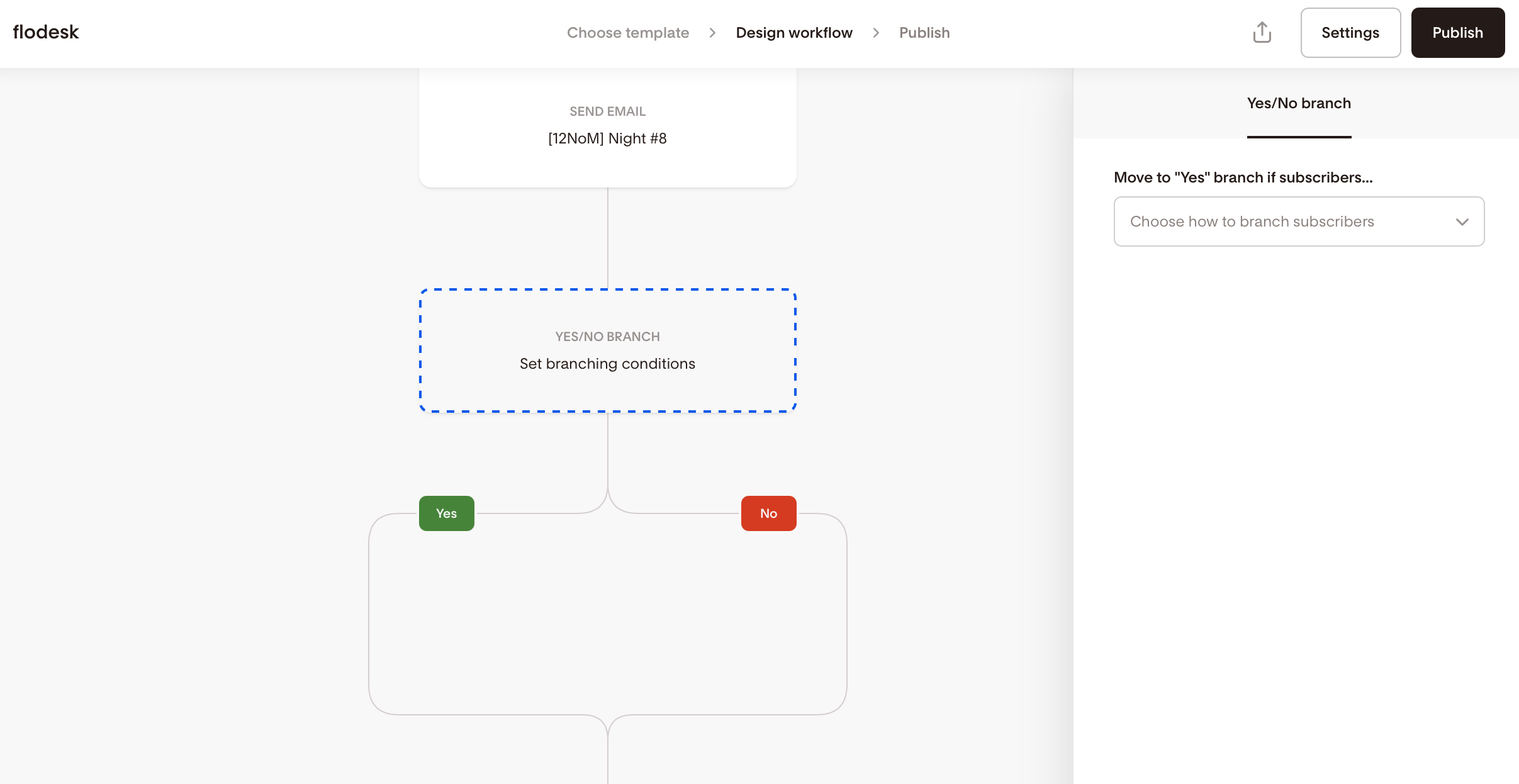
Creating a yes/no pathway in the workflow
🙋♀️ How do I create a yes/no branch?
By selecting “Yes/No Branch” after an email, we can introduce a split pathway based on conditions or events of our own choosing. In my case, I want to split the workflow up into two pathways: Those who showed interest in further information on divination, and those who didn’t and who are just happily flowing along with the daily emails.
When introducing such a split pathway, we must then decide on the conditions that beget it. In my case, I will make the yes branch dependent on whether or not subscribers have clicked the class link I added to the Day 8 email. If they did…
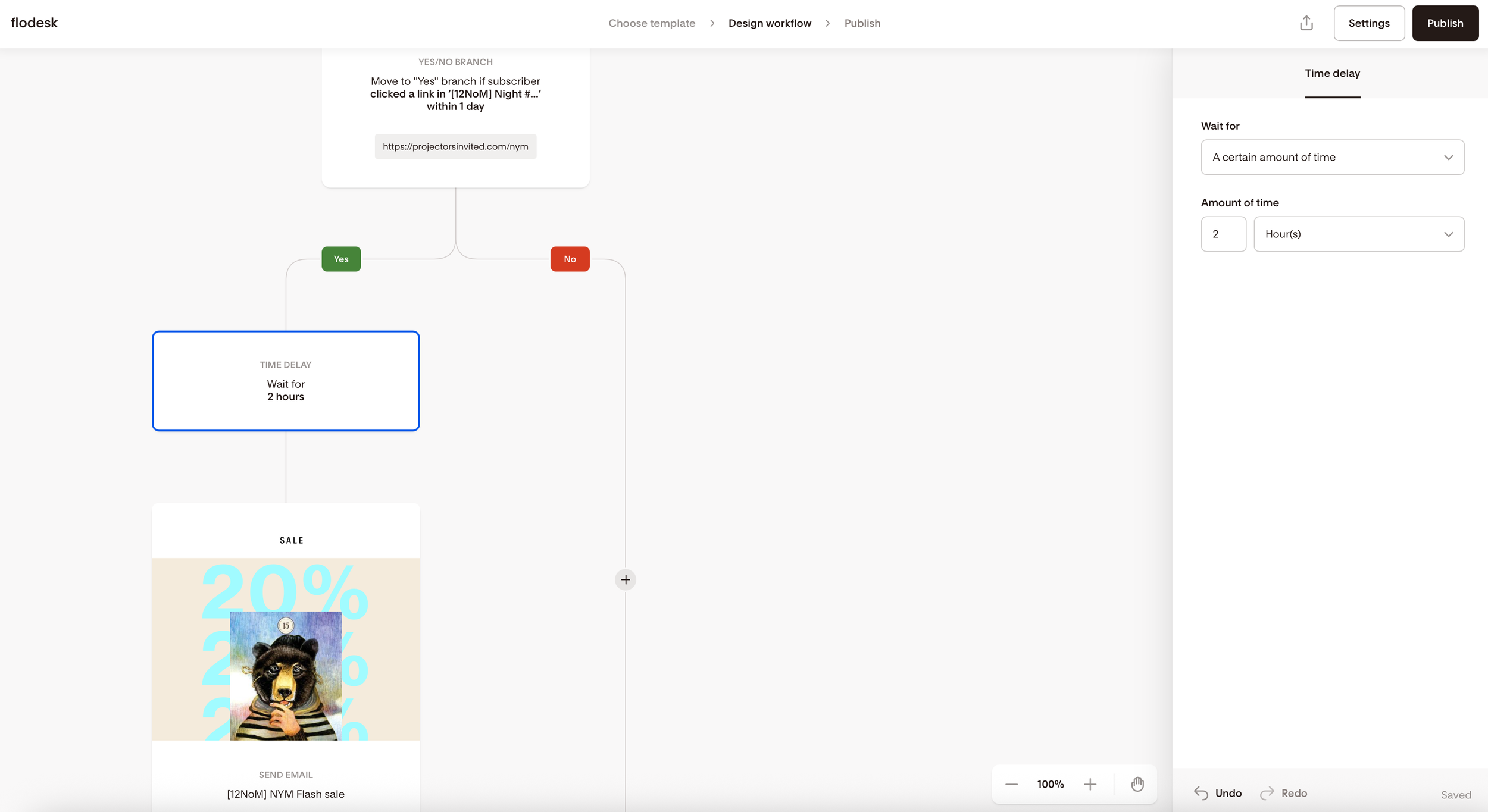
Adding some extra content to the “yes” branch of my split
…they will receive an extra email two hours after clicking with some extra information and a special discount code. Those who didn’t click and, as can be assumed, aren’t all that interested in the skill of divination, will not receive the extra content.
I like a good yes/no branch “detour” because it allows us to pre-plan for split conditions in a way that is thoughtful and not spammy or overwhelming, while also not tying ourself to our screens. The extra information is already designed into the pathway from the beginning, so no sending emails manually. It’s the Projector dream: We’re tending to our people’s needs (and making some extra sales!) all while…
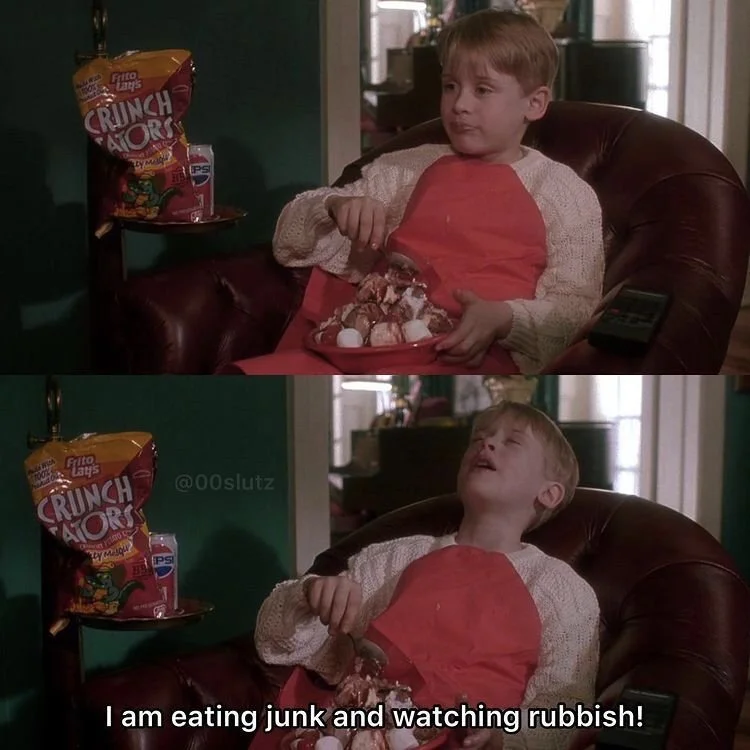
(Warner Bros.)
…eating junk and watching rubbish (Anyone else? Just me and Kev? Okay, fine.). Alternatively: Taking the dog for nice chilly walks, finishing that diamond painting, spending time with the family, playing with the cousins, or reading your 78th book of the year. All the while your business is still working, it’s just that… you’re not.
And voilà, after delivering the extra email, the split path converges again and the whole gang meets for our scheduled Day 9 email.
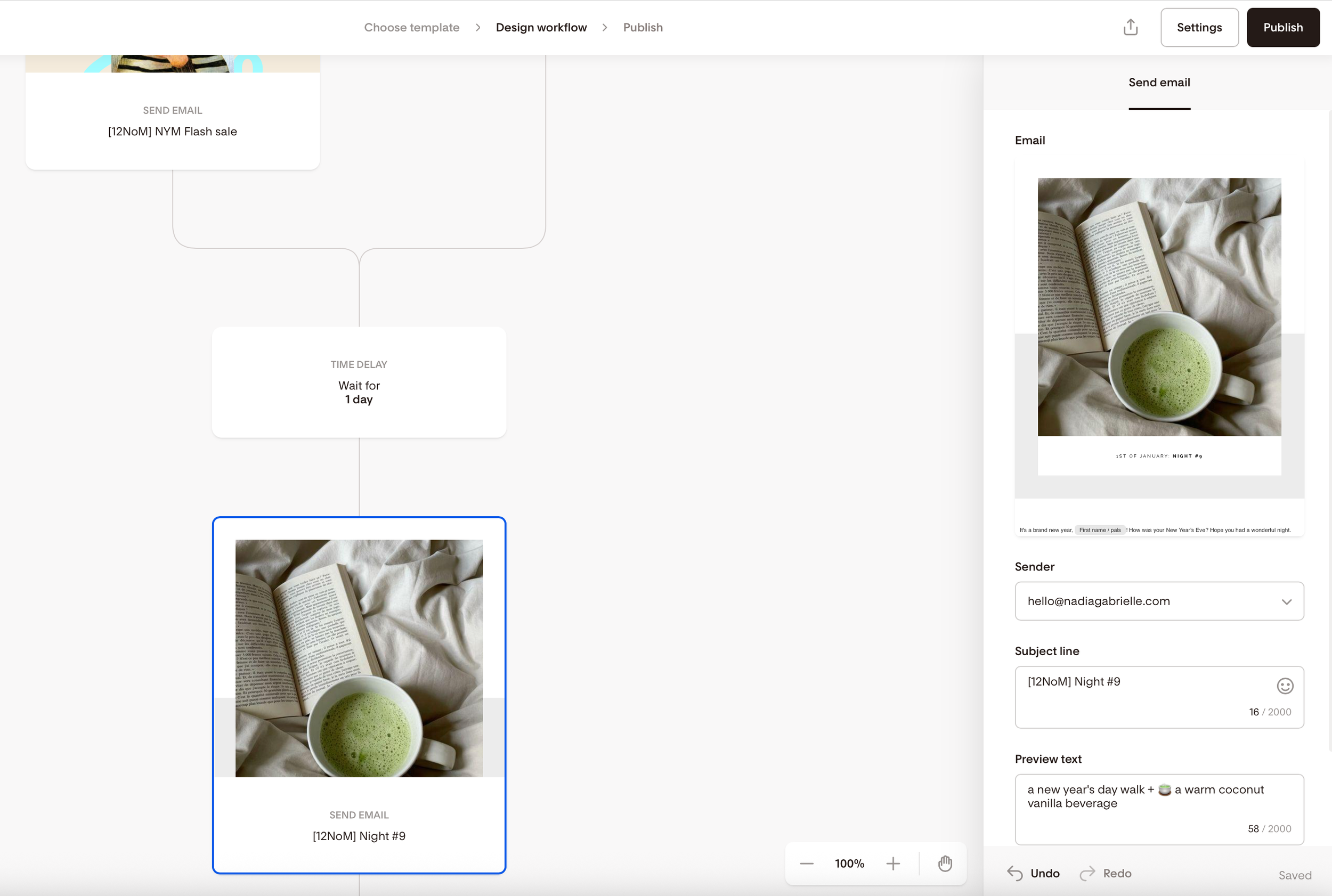
We all meet back here, same time, one day later
One last tip from someone who’s been in web publishing for 20 years and in email marketing for over ten years: Always test first! The first person going through the workflow should never be a subscriber, but you! Give yourself enough time to move through the whole thing and adjust any typos or conditions, so that when the time comes, you can clock out in peace, knowing everyone and everything is taken care of.
✏️ Action items: Do-it-yourself!
Almost every business has untapped opportunities when it comes to automation. What I love about using workflows in Flodesk is that I can do the work ahead of time and make it look and feel like me content, looks and feel-wise, and have peace of mind once I’m out-of-office.
Here are your action items:
1) Ask yourself: What have I been doing manually that I can automate?
Start with one workflow (test it out first!) and add more as you go. Before long, you’ll have erected an entire support structure of extra scaffolding that doesn’t require you to be around, and that still feels warm and personal (very important to me and also to my subscribers).
2) Start a free 14 day Flodesk trial using my link here, which also gives you 25% off your entire first year if you decide to subscribe, which I can and have wholeheartedly recommended to any business owner or aspiring business owner.
As a Flodesk partner, of course I’m a tad biased, but as a seven years (and counting) long customer who continues to pay her own subscription (in fact, my yearly payment is due later this month), my recommendation stands.
One of the things I love most about Flodesk is their Unlimited monthly subscription – one for Unlimited Email and one for Unlimited Everything – meaning that for a flat rate you can send as many emails as you like and have as many subscribers as you like, and your price doesn’t change.
That’s… quite different from other ESP subscription models where the more subscribers you have or the more active you are, the more you’ll have to pay. As someone who has been in the biz for a while (and has been subscribed to many different platforms and services), I have come to know Flodesk as an incredibly generous company, which is reflected in their pricing model.
Both subscriptions include unlimited emails, subscribers, workflows and forms, while Unlimited Everything also includes unlimited checkouts as well as three seats, so you can spread responsibilities across a team.
3) Really commit to the trial and try your hand at a solid workflow that will either save you time, make you money or both!
Oh, and, one more thing…
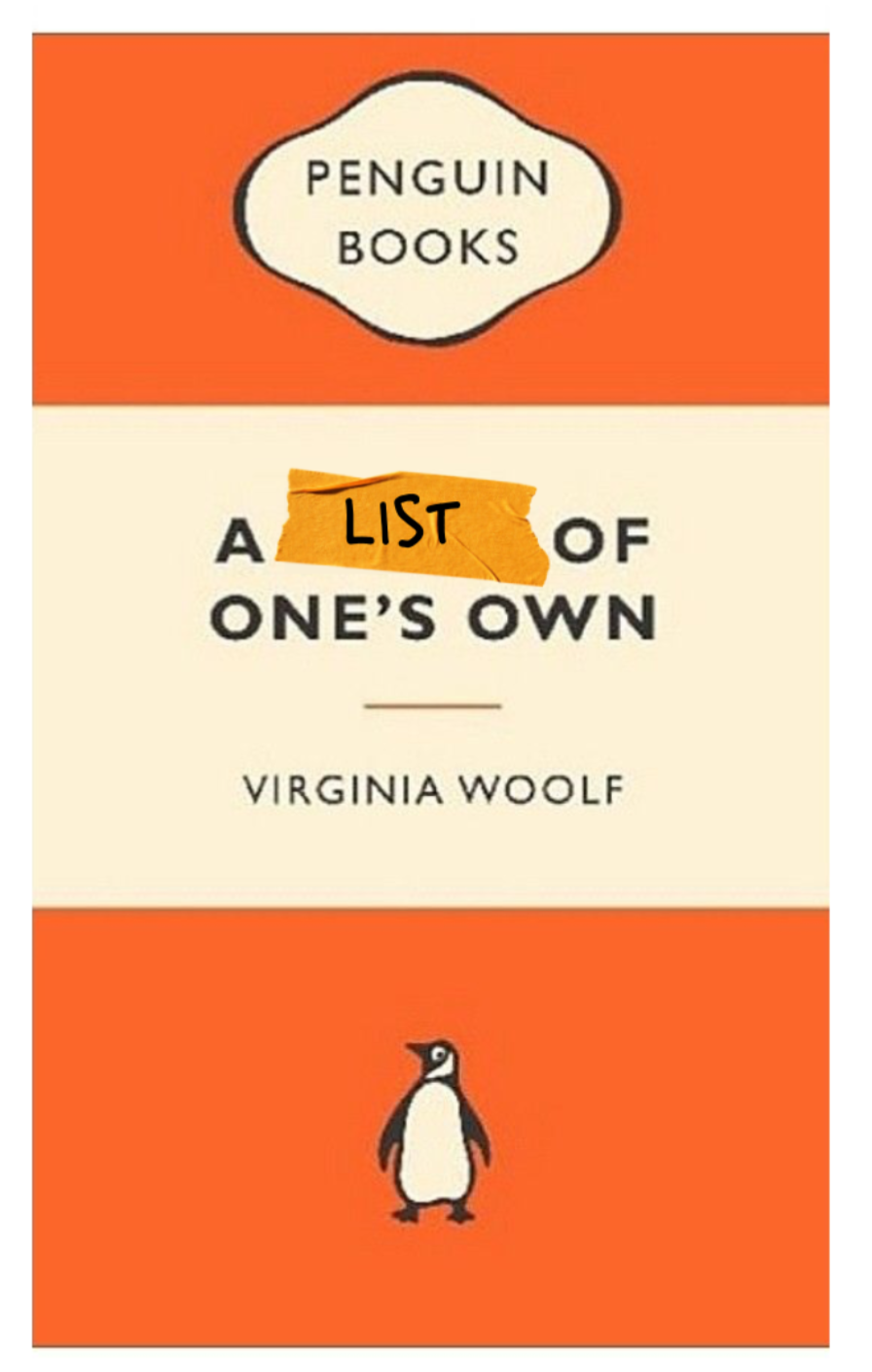
If you go for it and want to set up not just your workflows but your entire email presence – from your first form to your list health – properly from the beginning, I made you a free 17-day Flodesk how-to course. Download «A List of One’s Own» here and receive a bite-size lesson with an action step each day.
And in 17 days from now, you’ll email me DONE and we can digitally high five <3
Want more?
Here’s a post that dives more deeply into Email Energetics for Projectors